Draw your pattern
Choose a strong pattern and record your recovery phrase. A different pattern opens a different vault.
 Lockpic
Keep photos and videos private on your Android phone. Lockpic has no account, cloud vault, or internet permission.
Closed testing is underway for Android 13 and later.
The free version holds 25 items per vault and includes every security feature.
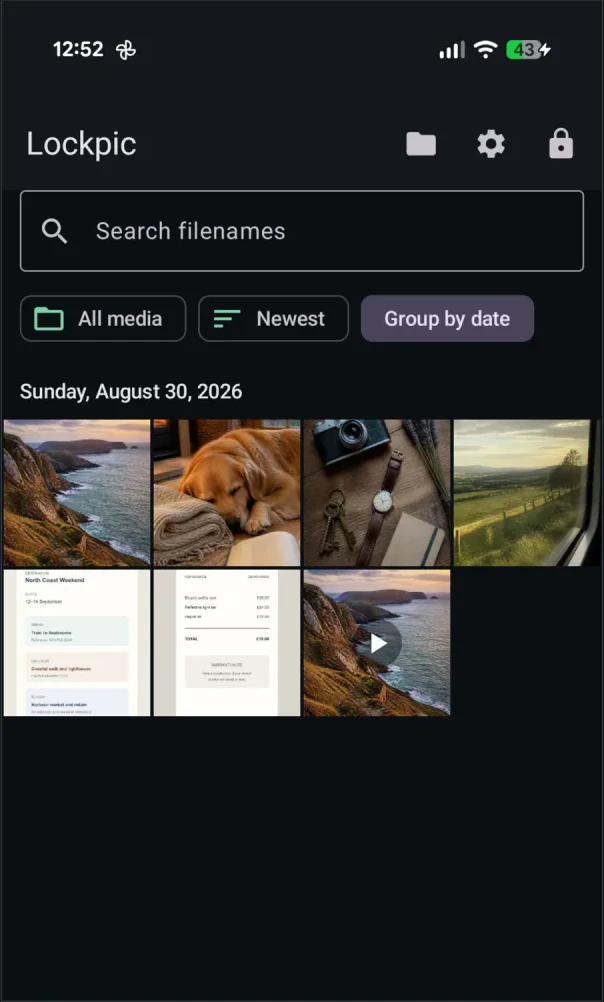
Browse photos, play videos, and keep a verified encrypted backup. The screenshots show the current tester build with generated example media.


Choose a strong pattern and record your recovery phrase. A different pattern opens a different vault.
Choose photos and videos with Android’s system picker. You decide what Lockpic can access.
Lock the vault when you’re done. Save an encrypted backup somewhere accessible without this phone, and keep its phrase separately.
Your vault contents stay in Lockpic's private storage unless you deliberately export them. Explore the private photo vault →
Media, thumbnails, and vault metadata are encrypted and authenticated at rest. Read the architecture →
Create a portable encrypted backup and verify it before you need it. Understand the limits →
Try Lockpic with a small collection before deciding to upgrade.
25 items per vault
Store photos and videos with encryption, recovery, verified backups, and every security feature.
One lifetime purchase
Remove the item limit and unlock albums. No subscription. Google Play displays the local price before purchase.
You can still view and export your existing content without Pro.
No. Lockpic has no signup, account system or identity profile.
No. Lockpic has no internet permission or cloud vault. Your files stay on your device unless you deliberately export media or an encrypted backup to a destination you choose.
Yes. Lockpic stores and plays encrypted videos directly from the vault without creating a plaintext video file for playback.
Your recovery phrase can re-key a vault that still exists on the device. If the device was wiped or the app was uninstalled, you also need the encrypted backup.
It opens a separate decoy vault and permanently destroys the wrapped keys for other vaults. This action cannot be undone.
Lockpic is free for up to 25 photos or videos per vault. Pro removes that limit and adds albums through a lifetime purchase in Google Play. There is no subscription. Google Play shows the local price before you buy. You can still view and export existing content without Pro.
Closed testing is underway.
Lockpic is not yet available for public download. If you have an Android 13 or later phone, email us to ask about joining the test. Access is by invitation.
Opens your email app. No mailing-list signup or automatic enrolment.